MovieBox Apk

Security Verified
McAfee
F-Secure
AdBlock
Moviebox pro APK
Finding an easy way to watch movies and TV shows on an Android device can be challenging, especially since various streaming apps offer different content libraries, playback options, and subscription requirements. Movieboxspro is a name that users often turn to when seeking a movie-streaming experience that brings entertainment content together in one place. Whether you want to explore its features, learn how the app works, understand its compatibility with Android, or troubleshoot installation issues, it is important to know what to expect before installing an application from outside the Google Play Store.
What Is Moviebox pro Apk ?
The name “Movieboxspro” often appears in searches for movie and TV series streaming platforms, particularly among Android users looking for an alternative way to explore entertainment content. Those who search for “Movieboxspro” are typically seeking access to a wide range of movies and television shows, with the convenience of being able to watch them on their mobile devices. The application features an interface centered on entertainment, allowing users to browse available content and discover titles that align with their interests. The user interface and available features may vary depending on the version of the app, its source, and the current status of the service.
Unlike well-known streaming platforms which clearly outline subscription plans and supported devices third-party streaming apps may lack sufficient official documentation. Therefore, users should verify the source of the installation file (APK), the permissions requested by the app, and the functionality of its features before proceeding with the installation.
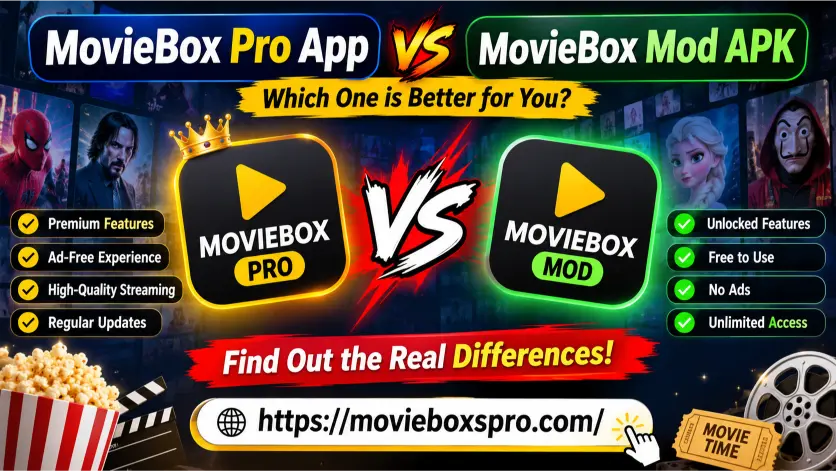
MovieBox Pro App vs MovieBox Mod APK
MovieBox Mod APK is a modified version of the MovieBox application. In this version, all premium features come pre-unlocked, requiring no subscription. You can enjoy high-speed HD streaming of top-tier movies, shows, and live events without any interruptions.
This modified version is completely free of advertisements, ensuring an uninterrupted viewing experience. Movie enthusiasts can easily find content tailored to their preferences. Many users prefer downloading this ‘mod’ version because it offers an extensive library of content much like various OTT platforms entirely free of charge.
Features of Movieboxspro Apk
The features that users expect from Movieboxspro generally revolve around ease of use, content discovery, and video playback. However, these features may vary depending on the specific version of the application and its source.
Free Unlimited Streaming
It allows users to stream unlimited movies, TV shows, and sports without spending any money. It is completely free, with no hidden costs, monthly subscriptions, or unnecessary payments.
High-Quality HD Content
This app provides HD streaming quality for all movies, series, and sports events. You can enjoy crystal-clear visuals, smooth playback, and an enhanced, cinema-like experience without the need for an expensive premium subscription.
No Registration Required
Unlike many streaming apps, MovieBox APK does not require you to create an account or sign up. Simply install and open the app, and you can immediately start enjoying unlimited free content no complicated registration process necessary.
Offline Download Option
The MovieBox app update (in APK format) includes a download option, allowing you to save movies or TV series directly to your device. This feature is perfect for offline viewing whether you are traveling, on a flight, or dealing with a poor internet connection.
Mobile-Friendly Viewing
Android users generally prefer applications that function smoothly across various screen sizes. A mobile-compatible streaming interface should feature clear text, intuitive controls, appropriately sized thumbnails, and playback that adapts seamlessly to the device whether it is a phone or a tablet. Actual performance depends on the specific Android device, available memory, the version of the application, and the speed of the internet connection.
Multi-Platform Support
MovieBox (APK) is compatible with Android devices, tablets, and even smart TVs. This flexibility allows users to enjoy their favorite entertainment content seamlessly across multiple screens, without any restrictions or limits.
Regular Updates Available
This app is frequently updated to include the latest movies, popular series, and new releases. It ensures that users never miss out on fresh, engaging, and popular content that becomes available daily.
Simple User Interface
A simple interface is essential for any streaming application. Users should be able to easily locate the search bar, content categories, video details, playback controls, and settings, without having to spend excessive time navigating through menus. A straightforward design is particularly useful for those who prefer watching movies on the small screens of smartphones. Intuitive navigation can make the overall viewing experience much more comfortable.
Entertainment Content Discovery
A major reason users seek out ‘Movieboxspro’ is the ability to find movies and TV shows in one place, without needing to switch between multiple applications. An entertainment app with well-organized categories makes it easy to discover content tailored to your interests. A structured library can encompass various genres, such as action, comedy, drama, romance, thriller, animation, and documentaries. When users do not have a specific film in mind, categories and search tools help them narrow down their choices.
No Ads & Pop Ups
The MovieBox Pro App keeps advertisements and pop-up banners to a minimum during streaming. You will rarely encounter an ad while watching movies online or using the app. This demonstrates that the app’s primary objective is to provide its users with an optimal streaming experience. Users highly appreciate it for its ‘ad-free’ feature. The app truly meets the expectations of cinema enthusiasts.
Download MovieBox Pro APK Latest Version 2026
Downloading the MovieBox APK is easy and hassle-free. The app is not available on the Google Play Store, but you can easily install it using the APK file. Simply follow the instructions below to get started:
- Click the download button – Tap the provided link to download the latest version of the MovieBox APK to your device.
- Enable “Unknown Sources” – Go to your phone’s settings, open the security section, and allow installations from “Unknown Sources.”
- Install the APK file – Open the downloaded file and tap “Install Movie Box App”; this will take just a few seconds.
- Launch and enjoy – Once installed, open the new version of the MovieBox APK and start streaming movies, TV shows, and sports for free.
How to Download MovieBox Pro APK for Android
Installing the MovieBox APK on your Android device is extremely simple and easy. Just follow these steps, and you can have the MovieBox application on your phone within 2 to 3 minutes:
- First, go to your phone’s settings and enable the “Install from Unknown Sources” option. This will allow the APK file to be installed. Next, visit our website and click the download button provided for the Android APK.
- Once the download is complete, tap on the downloaded APK file to begin the installation.
- After the installation is finished, you will see the MovieBox icon on your home screen.
- Tap on the MovieBox icon to start streaming your favorite movies, TV shows, web series, and sports events, and enjoy premium features all without any advertisements.
How to Download MovieBox Pro APK for iOS (iPhone & iPad)
Users of an iPad or iPhone can download and install the MovieBox Pro app on their devices in two ways. The first method involves using the Safari browser, which is simple and easy. The second method involves “sideloading” an IPA file onto the device. Both methods are very straightforward.
Using Safari Browser
- On your iPhone or iPad, open the Safari browser.
- Use the search bar to perform a search or enter our website address.
- Once you reach our MovieBox website, click the download button.
- After the download is complete, install the MovieBox Pro app on your iPhone. You can now enjoy an unlimited selection of free HD movies—both old and new—as well as top-tier TV shows, web series, and sports events.
MovieBox Pro Apk for Windows (PC & Laptop Version)
Downloading MovieBox for PC (Windows or laptop) is not difficult at all. You can now install the MovieBox Pro APK directly on your PC without needing any emulator. Here is a simple process:
- Visit our website and click the download button provided for PC.
- Once the download is complete, click the install button.
- Immediately after installation, start watching your favorite shows and movies online in Ultra HD resolution.
Pros & Cons of the App
Pros
- No sign-up or login is required.
- It is compatible with iOS, PCs, Smart TVs, Roku, and Fire TV.
- Users can watch content both online and offline. New movies and content are added regularly.
- It supports Chromecast, allowing you to watch on larger screens.
- The app is completely free, with no subscription fees.
- It offers a viewing experience free from advertisements, pop-ups, or interruptions.
Cons
- Since this app is not available on the Play Store, it lacks official support.
- You must reinstall the app to receive updates.
- Downloading from untrusted sources may put your security at risk. The app might not function in certain restricted regions.
- Occasionally, users may experience the app crashing or encounter issues with buffering.
Why we Choose MovieBox Pro?
MovieBox Pro offers its users a wealth of features, movies, and popular shows. It includes various options that allow users to enjoy content even in offline mode. We will also explore other aspects.
- Benefits of unique content: Through the MovieBox application, we provide detailed and unique descriptions, plot summaries, reviews, and information for every film. This avoids ‘copy-pasting’ and ensures the presentation of original content.
- Keyword Optimization: MovieBox makes effective use of titles, descriptions, and tags, which helps improve search engine rankings and visibility.
- User-Friendly Structure: The layout of the MovieBox application is highly organized and clean. This allows users to find all the information they need in one place, encouraging them to spend more time on the platform.
- No Login or Sign-up Required: MovieBox provides instant entertainment without the need for any login or sign-up! Simply open the app to watch the latest movies, popular web shows, and HD videos—all without any interruptions. This simple and fast approach makes entertainment easy and enjoyable for every user; your favorite movies are just a click away.
Best MovieBoxsPro Alternatives
1. Netflix
Netflix offers a vast collection of movies, TV shows, documentaries, and original series. Its clean interface, personalized recommendations, and various streaming options make it a popular alternative to MovieBoxsPro.
2. Amazon Prime Video
Prime Video offers movies, popular TV series, original productions, as well as a selection of content available for rent or purchase. It is a great choice for users who want a mix of mainstream popular entertainment and exclusive content.
3. Disney+
Disney+ is an excellent choice for fans of Marvel, Star Wars, Pixar, Disney films, and select TV series. Its content makes it particularly appealing to families and fans of various franchises.
4. Tubi
Tubi offers free, ad-supported movies and TV shows across various genres. It serves as a useful alternative for viewers who wish to watch entertainment content without paying a monthly subscription fee provided that the service is available in their location.
5. OnStream
OnStream is an entertainment app that allows users to discover movies and TV shows through a simple interface. It is known for its content-browsing experience, subtitle options, and easy navigation, making it a viable alternative for users looking for an app similar to MovieBoxsPro.
Final Words
MovieBoxPro Apk is a popular choice for users seeking a convenient way to watch movies and TV shows on their Android devices. Its simple interface and entertainment-focused experience appeal to those who enjoy accessing a variety of content in one place. However, the app’s availability, features, and performance may vary depending on the version and the source from which it is obtained. Before downloading, always verify the source of the APK, review the requested permissions, and ensure that MovieBoxsPro is compatible with your device. Choosing a reliable and secure streaming option can provide a better, smoother viewing experience while keeping your device and personal information safe.
Faqs
Is it is safe to use Movieboxs Pro Apk?
MovieBox isn’t an official app, so there’s a chance it won’t be 100% safe. Always be careful when using apps from unknown sources.
Is it is legal to use Moviebox Pro Apk?
No, this is not an official or licensed streaming service. Official apps are more secure and legal.
Is MovieBox available for Android?
Yes, MovieBox is commonly searched for as an Android APK. However, availability and compatibility depend on the version and download source.
Why is MovieBox not working?
Issues with the internet, out-of-date versions, device incompatibility, corrupted files, or inaccessible streaming sources could cause MovieBox to stop working.
How to download subtitle?
If supported, go to the video player and tap the subtitle option. Then select and download subtitles